Opening a new office requires more than buying computers and ordering internet. The network, accounts, applications, physical fit-out and support arrangement must be ready together. Begin with user needs and floor plans, then assign owners to each package. This avoids an opening day where devices exist but people cannot reach the systems they need.
For an office in Saudi Arabia, include the site address, landlord access arrangements, ISP availability and the construction sequence in planning. This is an operational checklist rather than a statement of licensing or regulatory requirements. Confirm any obligations specific to your business with the responsible advisers and project stakeholders.
Establish requirements and responsibility
List expected users, departments, applications and work patterns. Identify meeting rooms, shared devices, reception and any operational spaces. Record which systems are critical on the first day and which can be introduced later. Growth expectations should be realistic enough to influence ports and equipment capacity without turning every assumption into unnecessary expense.
Assign owners for internet, domain and email, network installation, device purchasing and business applications. If several contractors are involved, identify interfaces such as who supplies containment and who terminates cables. Keep a shared schedule with dependencies rather than independent delivery dates that conflict when installation begins.
Internet, firewall and site connectivity
Check ISP service availability and lead times for the actual address. Confirm the handoff location, router responsibilities, account ownership and any required fixed addressing. Consider continuity needs and whether an alternative connection is justified by the business impact of an outage. Do not assume a connection is installed merely because an order has been placed.
Choose firewall capacity and subscriptions around users, traffic, VPN and security requirements. Define business, guest and device networks where appropriate. Plan acceptance tests for internet access, cloud applications and remote access. Our firewall upgrade guide includes useful sizing questions even when the equipment is being purchased for the first time.
Cabling, racks and switches
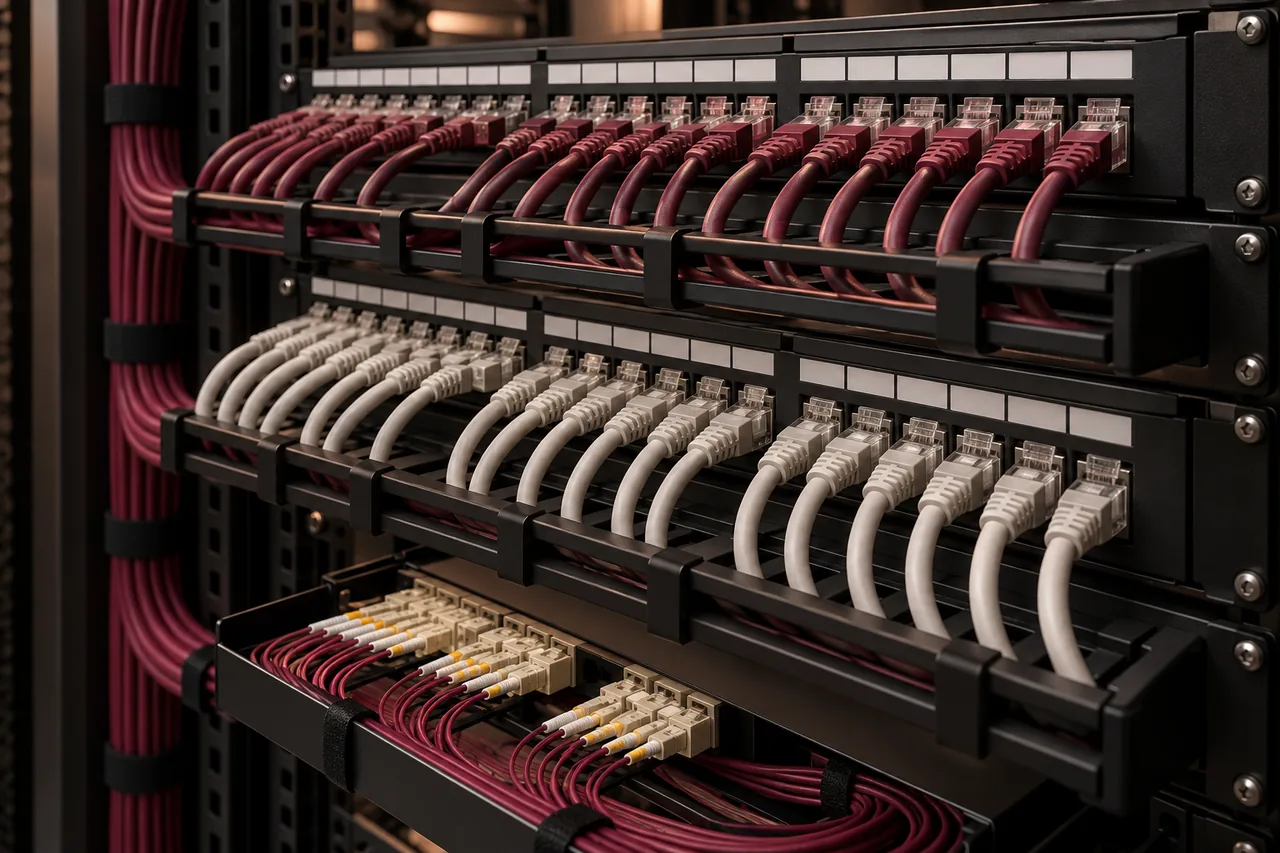
Mark data outlets for desks, printers, phones, access points and cameras. Reserve routes and communications-room space before the fit-out closes ceilings and walls. Select cable category for applications and distances, then define testing, labels and documentation. A socket count without locations is not enough for a dependable installation quotation.
Review rack size, equipment depth, ventilation, power and UPS requirements. Size switches for port quantities, uplinks and PoE loads. Allow agreed expansion capacity and identify active equipment separately from the passive cabling package. Use the structured cabling checklist to organize the physical-network handover.
Wi-Fi and meeting spaces
Plan access points using coverage and concurrent demand, particularly in meeting or training rooms. A single central device may not suit divided rooms or dense video-call use. Define guest access, staff authentication and the client devices that need to work. Include mounting and network cabling in the wireless scope.
Meeting rooms may require displays, conferencing devices and reliable wired connections as well as Wi-Fi. Test the actual platforms staff will use with external participants. Our office Wi-Fi guide explains why signal strength alone is not a complete acceptance measure.
Server, cloud and business applications
Inventory the applications the office needs: ERP, shared files, printing, industry tools and collaboration. Decide which run locally and which use cloud services based on supportability, connectivity, cost and recovery needs. Check licensing and vendor requirements before committing to an architecture.
If local servers are required, plan protected power, suitable room conditions and backup. If cloud is selected, define administration, access and recurring charges. Test integrations and user workflows before opening. The server-versus-cloud comparison helps frame the decision without assuming one model fits every workload.
Computers, identity and Microsoft 365
Choose workstations for actual tasks and supported software. Prepare devices with approved applications, updates and controlled administrator access. Create business-owned accounts and define employee onboarding and offboarding. Avoid opening with shared passwords and informal account ownership that will be difficult to unwind later.
For business email or Microsoft 365, coordinate domain verification and DNS changes with the domain administrator. Confirm mailbox quantities, licenses, migration requirements and user support. Collaboration permissions and external sharing need intentional settings, not simply whatever happens to be enabled by default.
Backup and cybersecurity
Identify the data the business cannot afford to lose, where it lives and how it is restored. Define acceptable data loss and downtime for each critical workload. Configure backups and test a representative restore before depending on the system. Cloud subscriptions and redundant disks do not automatically replace recovery planning.
Enable suitable account protection, endpoint controls and patch processes. Review remote access and how suspicious activity is reported. Keep an inventory and administrator records securely. The SME cybersecurity checklist can help assign these operational tasks to named owners.
CCTV and other building systems
Where commercial CCTV or access systems are part of the office scope, coordinate cameras, network ports, power and recording requirements with the wider fit-out. Define who manages these systems and who can view or export footage. Verify any site-specific requirements with the appropriate stakeholders rather than assuming a generic package addresses them.
Keep surveillance and building-device access controlled. Plan test and handover records together with ELV integration where multiple systems share pathways or racks. This helps prevent late requests for additional ports and power after the rest of the installation is finished.
Support and opening-day acceptance
Agree how users request help, who coordinates vendor faults and what support is available after handover. An IT AMC should define coverage rather than promise unspecified unlimited assistance. Keep supplier contacts and warranty/license information accessible to the business.
Before opening, test a representative user from login through email, printing, internet, business applications and a meeting call. Review guest access, restore evidence and equipment documentation. Record remaining issues with owners and target actions. Send FusionCore your floor plan and requirements through Contact to discuss a coordinated opening scope.
Frequently asked questions
A few practical questions.
When should IT planning start in a fit-out?
Before ceiling and pathway decisions are finalized. Equipment locations, outlet positions, access-point cabling and internet handoffs can affect other contractors’ work.
Can one quotation cover all office IT needs?
It can if the scope is clear. Separate packages, responsibilities, subscriptions, dependencies and acceptance criteria so nothing is assumed between providers.